
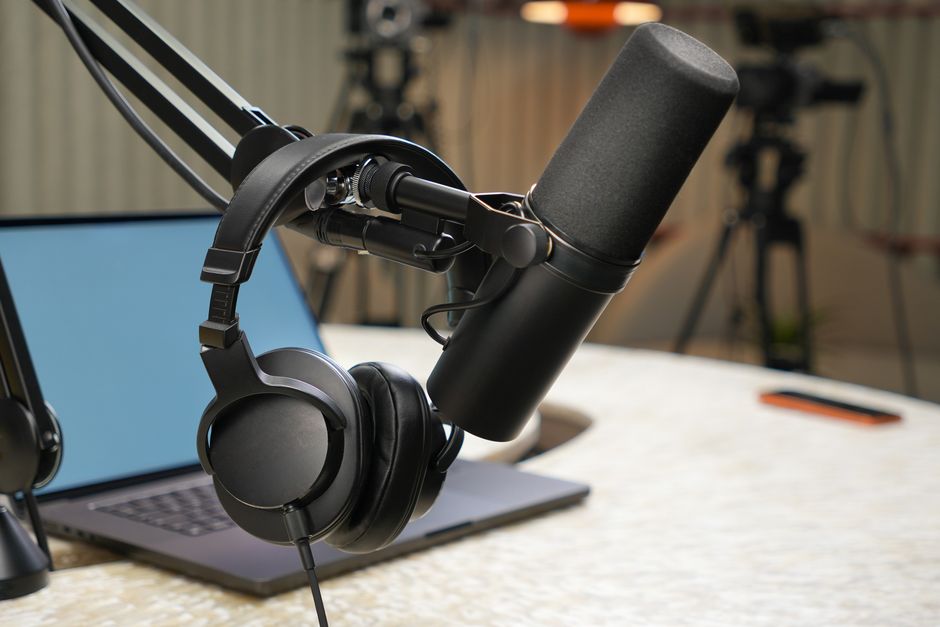
<h2>Why speech‑to‑text matters after 50</h2> <p>Many professionals in their 50s find that typing for long periods leads to wrist fatigue, reduced focus, and slower turnaround on projects. At the same time, career expectations often peak during this decade, with opportunities for leadership, mentorship, and high‑visibility work. A reliable speech‑to‑text solution can convert spoken words into editable text, freeing up mental bandwidth and preserving physical comfort.</p> <h2>Choosing the right tool</h2> <h3>Desktop versus cloud solutions</h3> <p>Both categories have mature options, but the best fit depends on your typical work environment.</p> <ul> <li><strong>Dragon Professional Direct</strong> – a desktop‑based program known for high accuracy after training, suitable for heavy dictation.</li> <li><strong>Google Docs Voice Typing</strong> – a free, cloud‑based feature that works in any browser with a Google account.</li> <li><strong>Microsoft Dictate</strong> – an add‑in for Office apps that leverages Azure speech services and integrates seamlessly with Word and Outlook.</li> <li><strong>Otter.ai</strong> – a cloud service that captures meeting audio, produces searchable transcripts, and offers collaboration tools.</li> <li><strong>Apple Dictation</strong> – built into macOS and iOS, useful for quick notes and short emails.</li> </ul> <h2>Setting up for success</h2> <h3>Microphone selection</h3> <p>A quality microphone reduces background noise and improves transcription accuracy. For a home office, a USB condenser mic such as the Blue Snowball or a headset with a noise‑cancelling boom mic works well. Position the mic about six inches from your mouth and speak at a steady pace.</p> <h3>Training the software</h3> <p>Most speech‑to‑text programs improve with use. Spend a brief session reading a typical paragraph aloud while the software learns your pronunciation and vocabulary. Add industry‑specific terms—project names, technical acronyms, or client brands—to the custom dictionary to avoid repeated corrections.</p> <h3>Integrating with common workflows</h3> <p>Once the tool is calibrated, incorporate it into the tasks you perform daily:</p> <ul> <li><strong>Email drafting</strong>: Open Outlook or Gmail and dictate the entire message, using voice commands for punctuation (e.g., “comma,” “period”).</li> <li><strong>Document creation</strong>: In Word or Google Docs, dictate reports, proposals, or policy drafts, then apply formatting commands such as “bold heading one.”</li> <li><strong>Meeting notes</strong>: Record the discussion with Otter.ai, then edit the automatically generated transcript for distribution.</li> <li><strong>Task lists</strong>: Speak simple commands to your project‑management app (e.g., “Add ‘review budget draft’ to my Asana tasks”).</li> </ul> <h2>Practical tips for daily use</h2> <ul> <li>Start with short dictations (one to two sentences) to gauge accuracy before tackling longer documents.</li> <li>Use explicit voice commands for formatting—“new line,” “bullet point,” “enter heading two.”</li> <li>Review the text immediately after dictation; spoken errors are easier to catch while the content is fresh.</li> <li>Build a personal glossary of frequently used phrases; most platforms let you add custom shortcuts.</li> <li>Combine speech‑to‑text with automation tools (e.g., Zapier) to route transcripts to shared drives or email them to teammates.</li> </ul> <h2>Maintaining accuracy and security</h2> <p>Even the best algorithms misinterpret homophones or background chatter. Regularly proofread transcripts, especially before sending them externally. If you handle confidential information, verify that the service encrypts data in transit and at rest. For highly sensitive content, prefer an on‑premises solution like Dragon, which processes audio locally rather than in the cloud.</p> <h2>Measuring the impact</h2> <p>Track the time you save by noting how many minutes you spend dictating versus typing. Over a month, the cumulative reduction in repetitive strain can be significant. Ask yourself whether you are able to allocate the reclaimed time to strategic activities—such as mentoring, training, or creative planning—that reinforce your career trajectory in your 50s.</p> <h2>Conclusion</h2> <p>Adopting speech‑to‑text technology is a practical step for professionals in their 50s who want to preserve physical comfort, accelerate routine writing tasks, and stay competitive in a fast‑moving workplace. By selecting a tool that matches your workflow, customizing it for your industry language, and integrating it into daily habits, you can turn spoken ideas into written output with confidence and efficiency.</p>
Technology
Voice‑Driven Productivity: Harnessing Speech‑to‑Text Tools in Your 50s
Affiliate disclosure: This page may contain affiliate links (including Amazon). 50 Plus Hub may earn a commission at no extra cost to you. We also recommend our own assessments and products when they fit.
Hearing Aids Without Clinic Prices
FDA-registered OTC hearing aids with free trials and US-based support.
Shop Hearing AidsRecommended for You
Hand-picked resources related to this article
Tech
MDHearingAid
High-tech hearing aids with Bluetooth streaming. 90% less than clinic prices.
Shop
Top Tech on Amazon
Tablets, smart home devices, and gadgets perfect for adults 50+.
Learn
MasterClass
Learn from the best — technology, cooking, writing, and more. Gift a membership.
Affiliate disclosure: We may earn a commission at no cost to you.